At headquarters
Merchandising leaders
See how plans actually landed across stores.
- Walk a region's shelves from your desk
- Compare execution store to store
- Look back at any shelf by date
- Settle “what's really out there” with a picture, not a debate
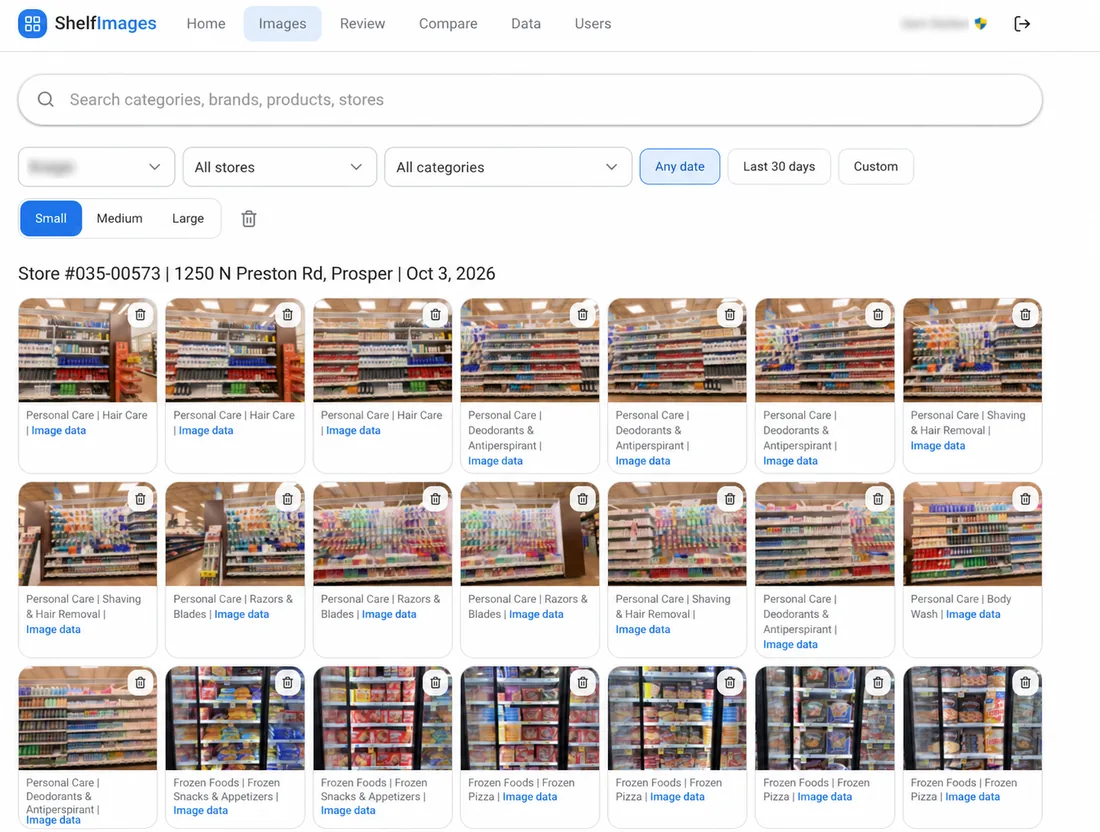
Field teams upload from their phones. ShelfImages files every image by store, category, brand, product and date.
Headquarters, the analyst desk and the store floor work from one shared set of photos.
See how plans actually landed across stores.
Put the real shelf next to the numbers.
Upload once and get back to the store.
Pick the store and upload from any phone.
Each image lands in your own departments and categories.
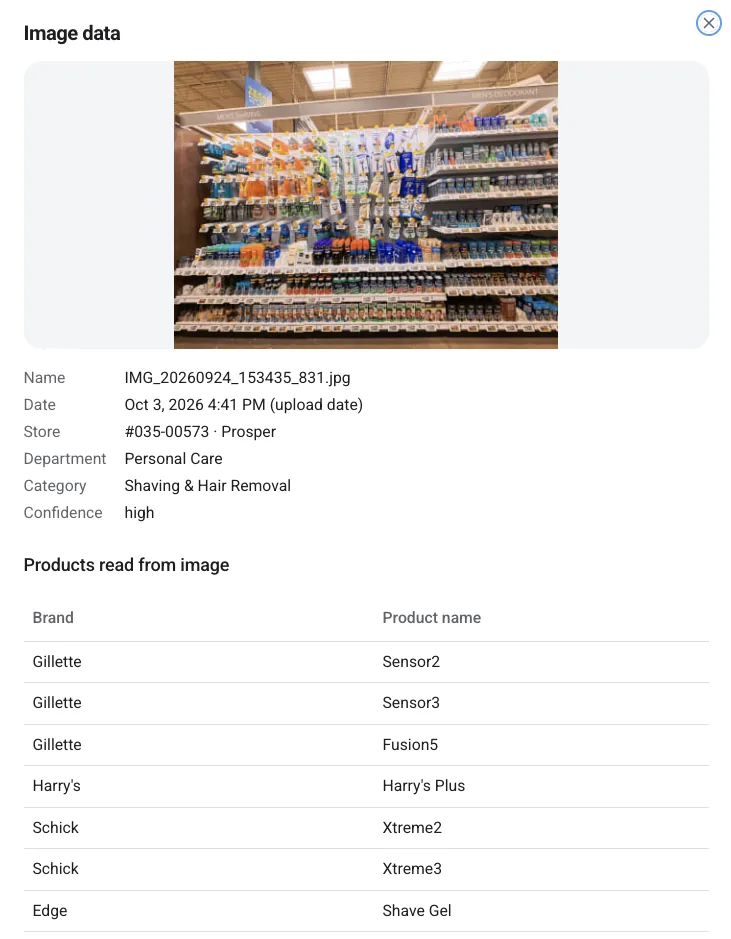
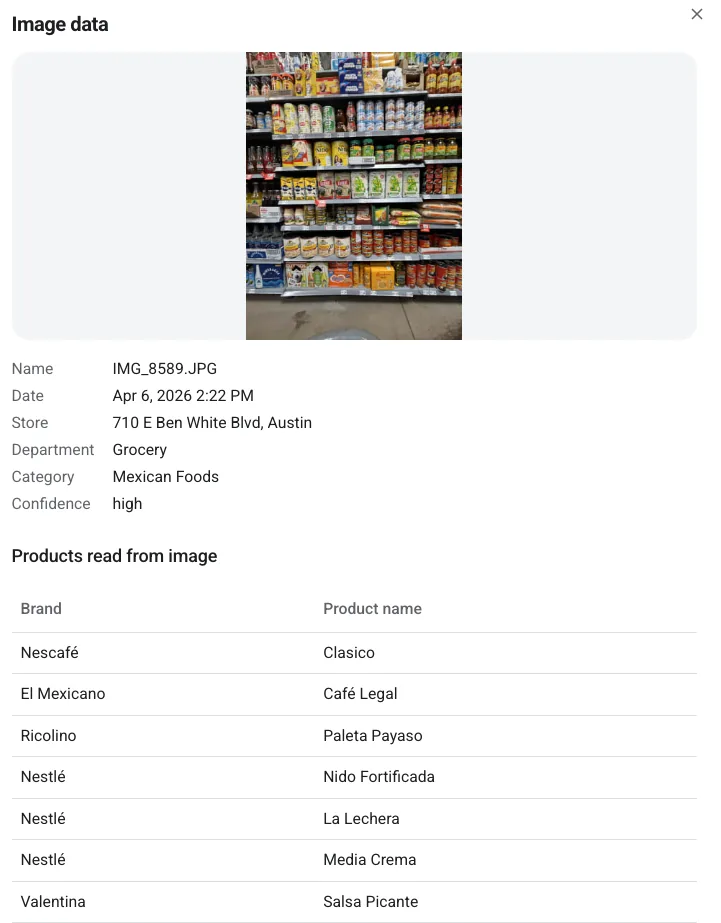
Visible brands and products are identified in each image.
Find any shelf by store, category, brand or date.
No photographer or special equipment required.
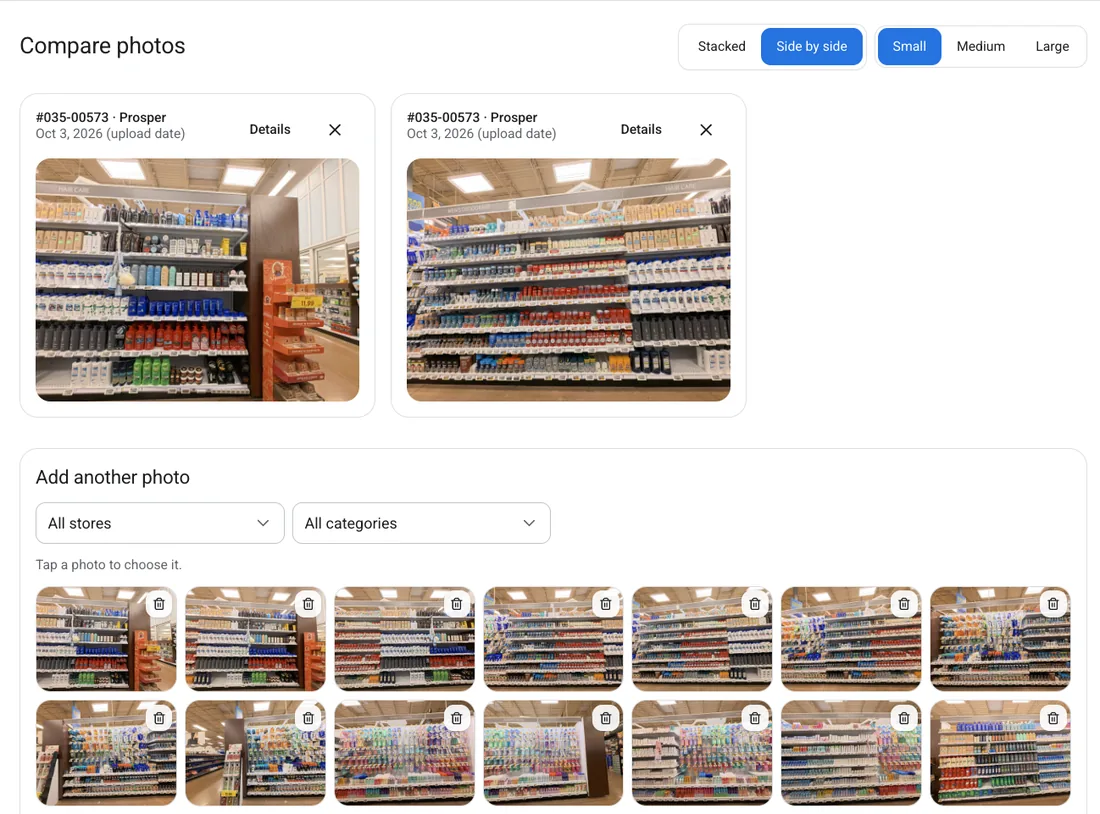
See how the same category is set across locations.
See what changed after a reset, promotion or refresh.
Build a visual history of what was actually on the shelf.
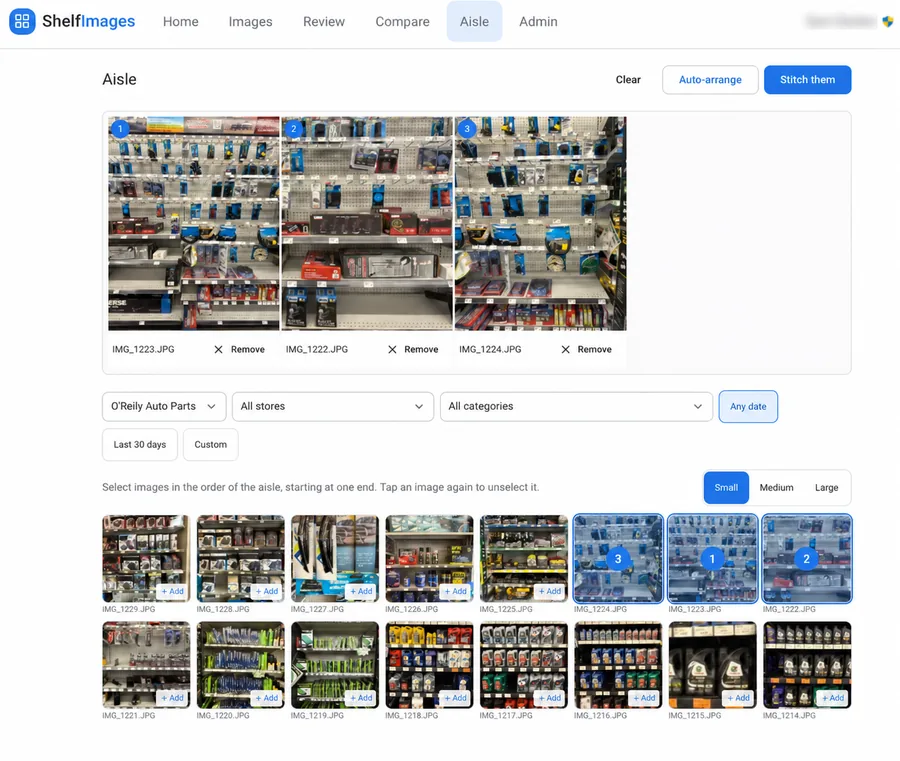
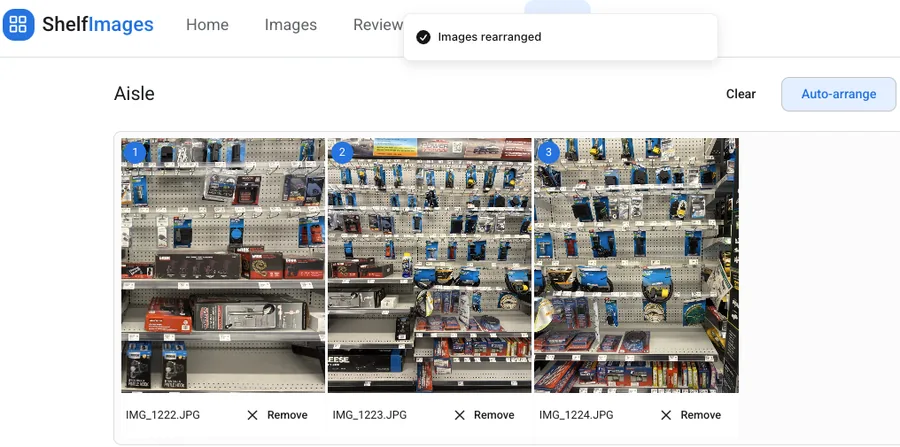
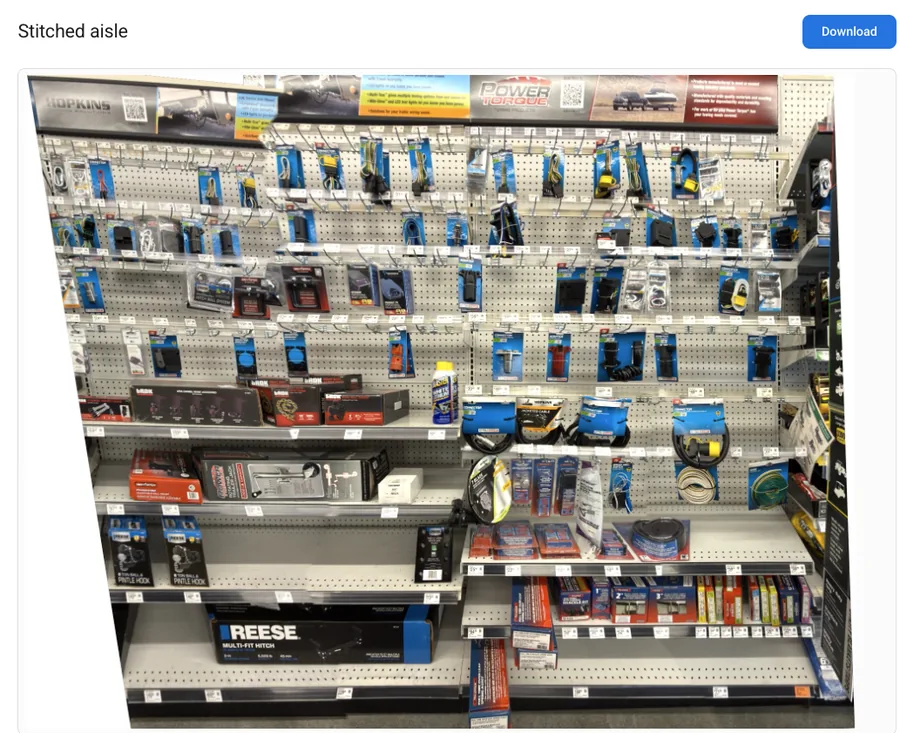
Shelf photos are taken one section at a time. Aisle view joins them, so you can see the full aisle at once.
Select images from the same aisle, with a little overlap between each one.
Add them to the aisle arranger and click Auto-arrange. ShelfImages puts them in the right order.
Click Stitch them, and the images join into one panoramic view of the aisle.
Teams loved seeing real shelves from their desks. They hated sorting the photos. ShelfImages handles the tagging, sorting and navigation, so image capture and analysis can scale.
Built from real grocery merchandising work by software, film and retail people with over 30 years of experience.
Pay per store. Volume discounts start after 10 stores.
For 3 to 9 stores. Minimum $585/month.
Same features as the Platform plan. Move up automatically at 10 stores.
Everything your team needs to capture, sort and search shelf photos. Every account starts here, and you can be live within 24 hours of signing.
12-month annual plan that starts with a three-month paid trial, with the option to opt out during the trial.
Each store you add brings 100 more images uploaded/month into your shared pool.
| Active stores | Per store, per month |
|---|---|
| 3 to 9 | $195 per store (Starter) |
| 10 | Included in Platform plan |
| 11 to 25 | $150 |
| 26 to 50 | $120 |
| 51 to 100 | $90 |
| 101 to 250 | $65 |
| 251 to 500 | $50 |
| 501 and up | $40 |
Need more than 100 images uploaded/month per store? Add an image pack. Bigger packs cost less per image, and packs stack.
| Platform plan | $1,950 |
| Added stores | $0 |
| Image pack | $0 |
Still curious? Write to hello@fairworlds.com.
ShelfImages is a searchable visual record of your stores' shelves. Store associates upload photos from a phone, and AI files each one by store, category, brand, product and date. Merchandisers, analysts and corporate teams can then find, view, compare and download any shelf in any store without a store visit.
Any store associate, temp or contractor you invite to the platform. No special training or camera required. They take photos with their own phone, log in, pick the store and upload. There is no renaming, sorting or tagging afterward.
Fill the frame with the shelf, top to bottom, so the products take up most of the photo. Don't stand so far back that the floor, ceiling or aisle fill the picture.
Yes. If you find the right person to take photos in competitive stores, upload them as a new store in your data set. Then you can find, view and compare them with your own store images.
It matches each photo to a department and category from your own product list, and reads up to 25 visible brands and products. If it isn't sure, the photo goes to a Review queue so a person can choose. Anyone with access can also change a category in one click.
Only people your company invites. Access is invite-only, and every company's photos, stores and categories are kept separate and private.
Yes. Your data is private to your company. If you ever leave the platform, you get a download of your images, the data about each image, your store list and your category list.
Plans are $195 per store per month for 3 to 9 stores, with a 3-store minimum ($585 a month). At 10 stores, the Platform plan is $1,950 a month, and each store after that costs less. Every store includes 100 images uploaded per month, and you can add image packs. Plans are annual contracts that start with a three-month paid trial. During the trial, you can opt out of the contract.
No. ShelfImages runs in the web browser on phones and computers, and your team can be live within 24 hours of signing. It accepts JPG, PNG and iPhone HEIC images, up to 100 per upload. Admins load stores and categories from a spreadsheet and switch stores on or off as needed.
We'll load your stores and categories, run a set of your shelf photos through it, and walk your team through what comes back.